LEGACY PING
When Words Wait, Messages Speak.
Legacy Ping lets you send messages into the future. Write them today and choose the day they arrive.
A birthday next spring, a graduation in ten years, a day you cannot be there for. Until then, Legacy Ping is also a private place to share what is happening now, and you decide who sees each post.
No spam. Just launch news, product drops and the occasional reason to text your future self.
LEGACY PING
When Words Wait, Messages Speak.
Legacy Ping lets you send messages into the future. Write them today and choose the day they arrive.
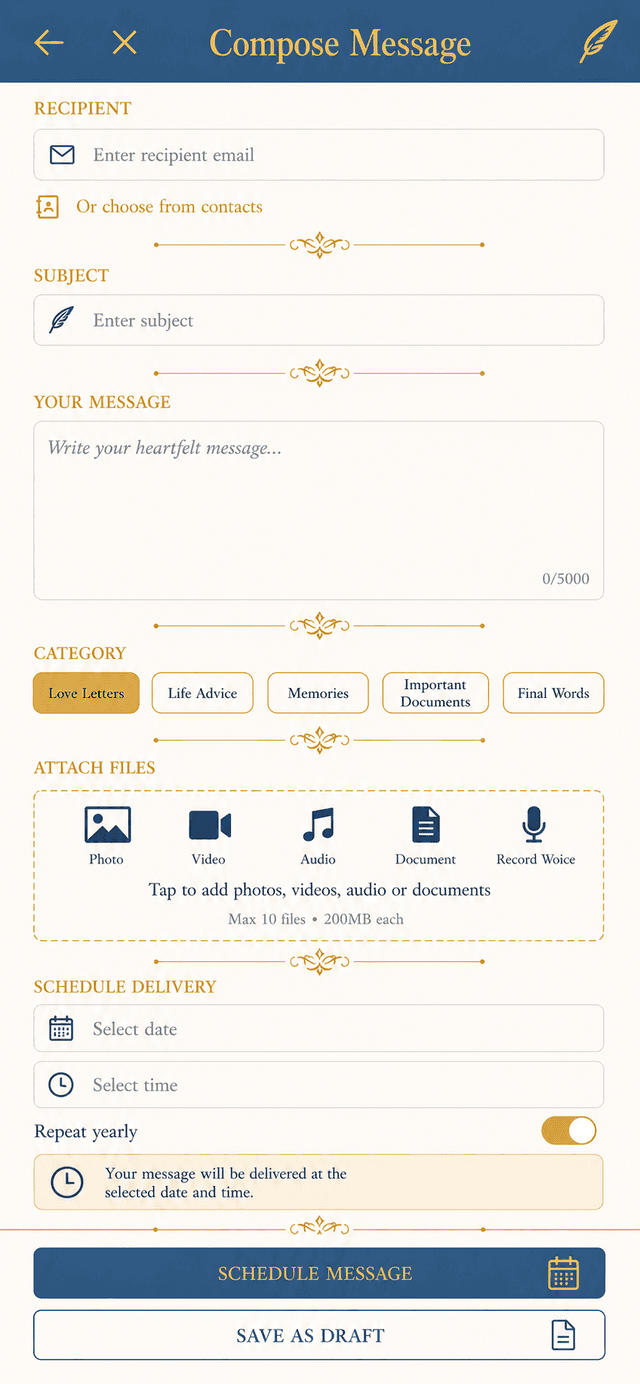
Write a letter, record your voice or add photos. Pick the person and the day, and it waits until then.
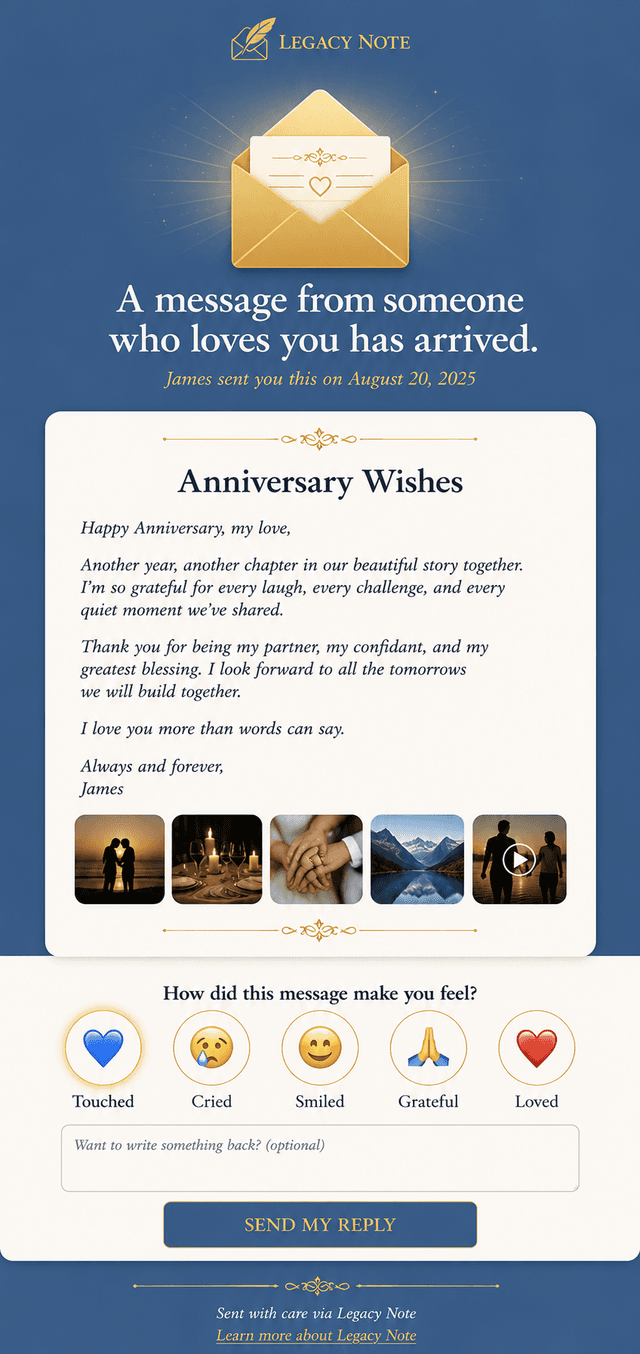
On the day, your person gets an email with a link to what you left. They can open it and read it right away.
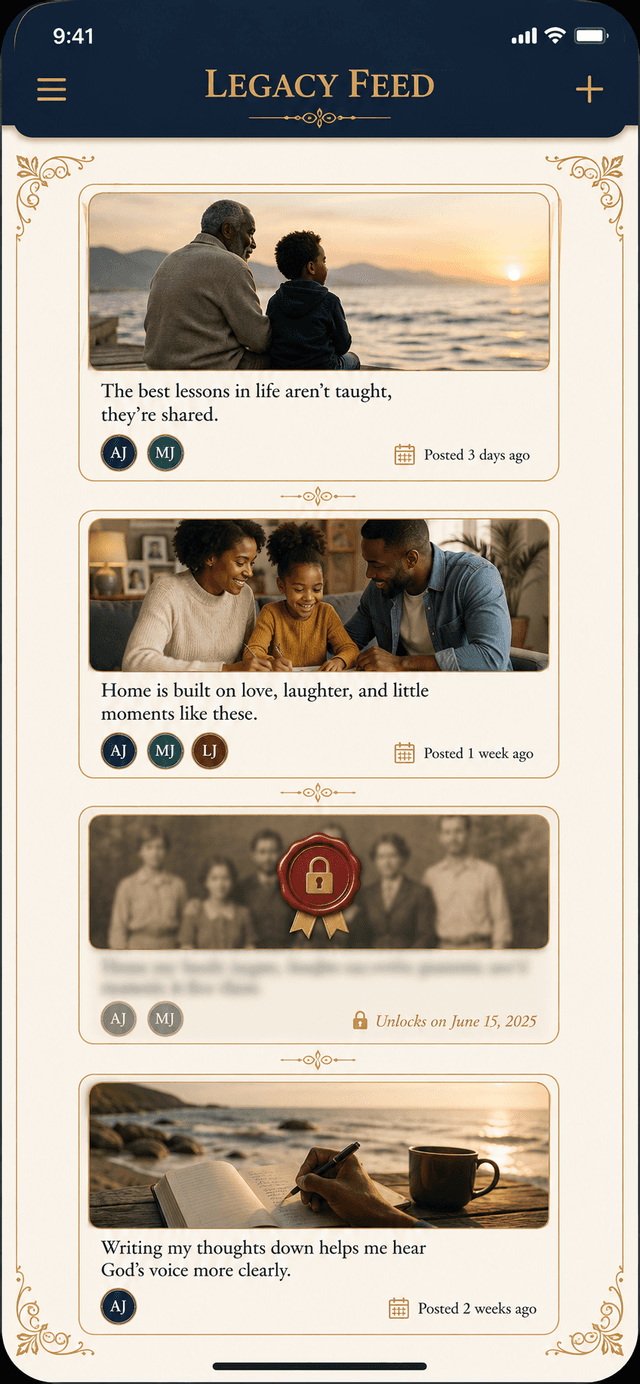
Post to the Legacy Feed and choose who sees each post: only the people you tag, your contacts, or everyone.
A writing helper turns a few answers into a first draft. You edit it until it sounds like you.
What VIP members get
- Early access before public launch
- Early looks at what we are building
- Launch news and product drops by email
“Ask someone what they would keep from a person they have lost and the answer is rarely the official stuff. It is a voicemail. A photo where nobody is posing.”
You can unsubscribe from any email.
Write it now. It arrives when you say.
Most messages are read the moment they are sent. Legacy Ping is for the ones that should wait. You write a message, add photos or record your voice, choose a person and choose a date. After that you can forget about it. The app will not.
The date can be next month or twenty years away. When it comes, the person gets an email saying something is waiting for them. They do not need the app installed beforehand.
Alongside the scheduled messages there is a feed. Post a photo or a thought the way you would anywhere else, then decide who sees it: only you and the people you tag, your contacts, or everyone.
How it works
Write or record.
Type a letter, record a voice note, add photos. If you are not sure where to start, the writing helper asks a few questions and gives you a draft to edit.
Choose who and when.
Pick the person and pick the date. A birthday message can repeat every year. Nothing goes anywhere until the day you chose.
We deliver it.
On that day the person gets an email with a link. They open it, make an account if they need one, and read what you left. You can see that it arrived and how they reacted.
The small things count too
Ask someone what they would keep from a person they have lost and the answer is rarely the official stuff. It is a voicemail. A photo where nobody is posing. A message about nothing much.
That is why Legacy Ping is for more than the big letters. Save the ordinary Tuesday too. Years from now it may be the thing someone wants most.
A feed for the life you are living now
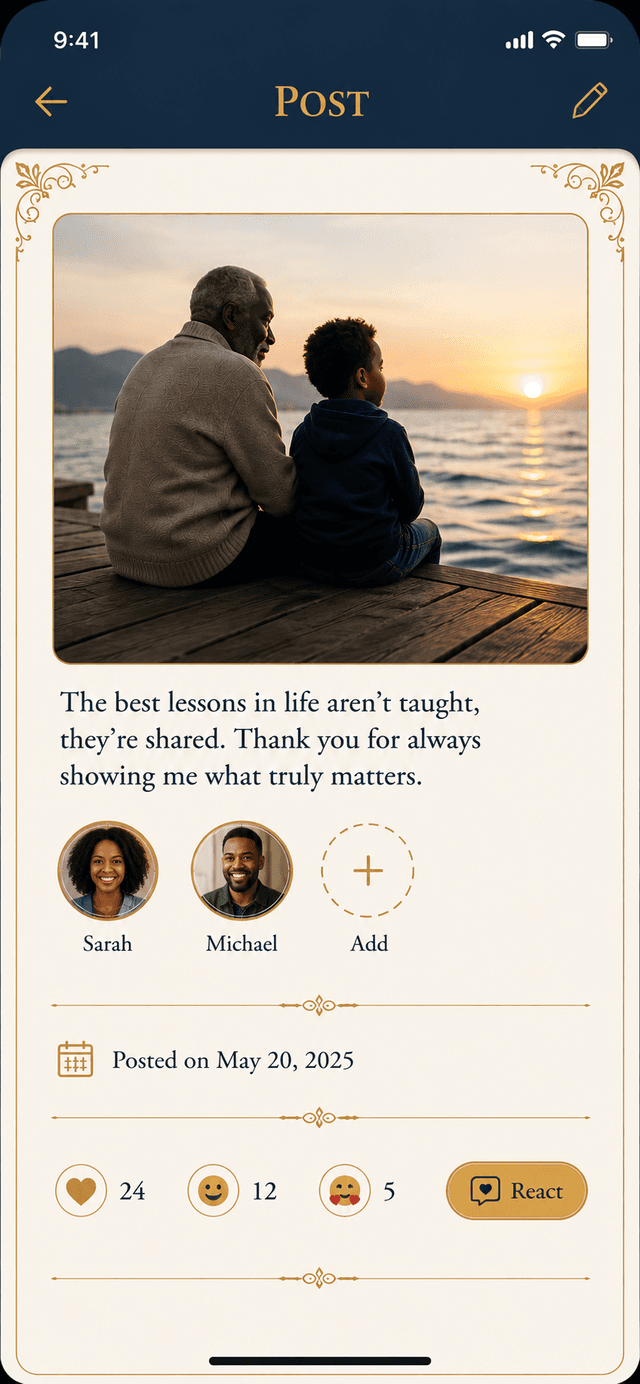
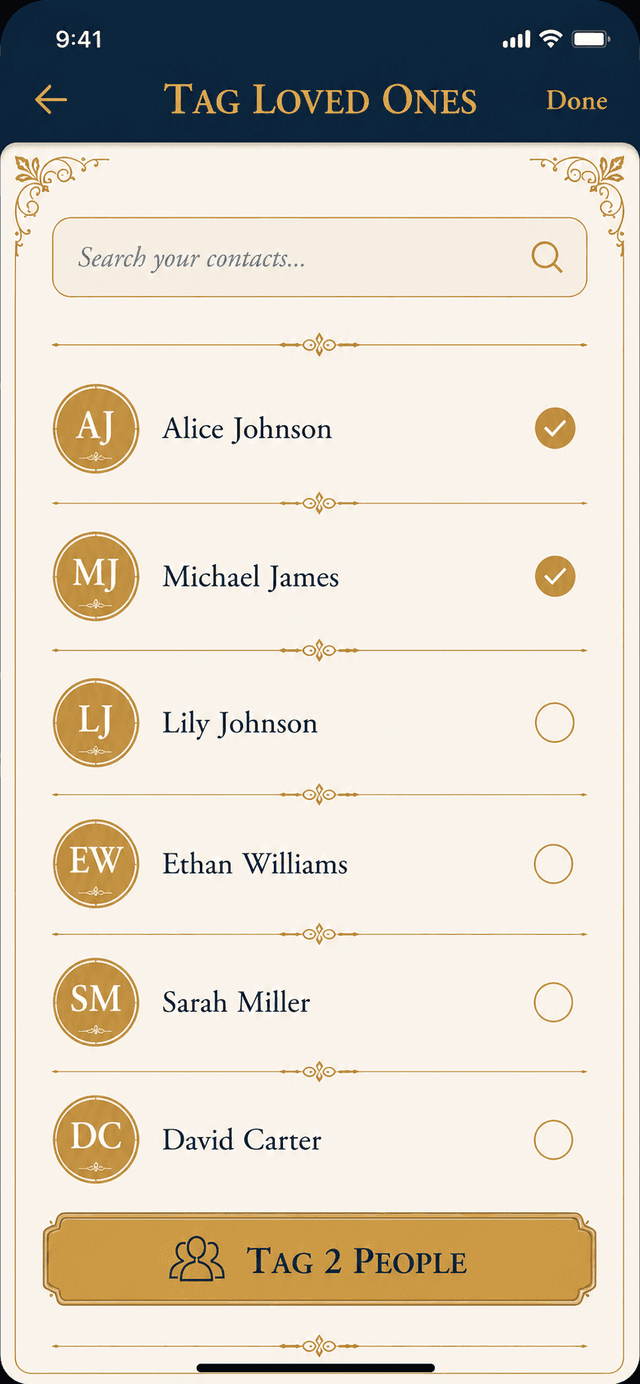
The Legacy Feed works the way you would expect. Post photos, video and thoughts, tag the people who were there, and let others react. The difference is the setting on every post that decides who gets to see it. Some posts are for everyone. Plenty are not, and that is fine. The posts you share can also be gathered later into a highlight video of your life.
See the Legacy FeedYou decide who sees each post
Every post has one of three settings. Private means only the people you tag. Connections means the people in your contact book. Public means anyone. You choose when you post, and you can choose differently every time.
Only the people you tag. The thought you would never put on a public timeline stays here.
The people in your contact book. Good for family news and everyday moments.
Anyone can see it. For the posts you are happy to share widely.
“The thought you would never put on a public timeline? Keep it Private. Nobody needs to know it exists.”
Tag someone who is not on the app yet
A lot of memories include people who have never heard of Legacy Ping. Tag them anyway. They get an email saying they are in a post, with a link to see it. Your memory does not have to wait until everyone you know has signed up.
Send something to a day that has not happened yet
Write the graduation message while they are still learning to read. Record the birthday video months before the birthday. Leave advice for the year they turn thirty. You pick a date and the message waits until then.
See future messagesOne date, or one every year
Choose a single date, or have a message come back each year. A birthday note can arrive every March. An anniversary message can return with something new added.
How far ahead would you go?
Some people write to next week. Some write to someone who has not been born yet. Legacy Ping is built with long timelines in mind, and the date is yours to choose.
They do not need the app to receive it
You prepare the message using their email address. When the day arrives they get an email telling them something is waiting. They open it, set up an account if they do not have one, and read it. You never have to ask anyone to download an app years ahead of time.
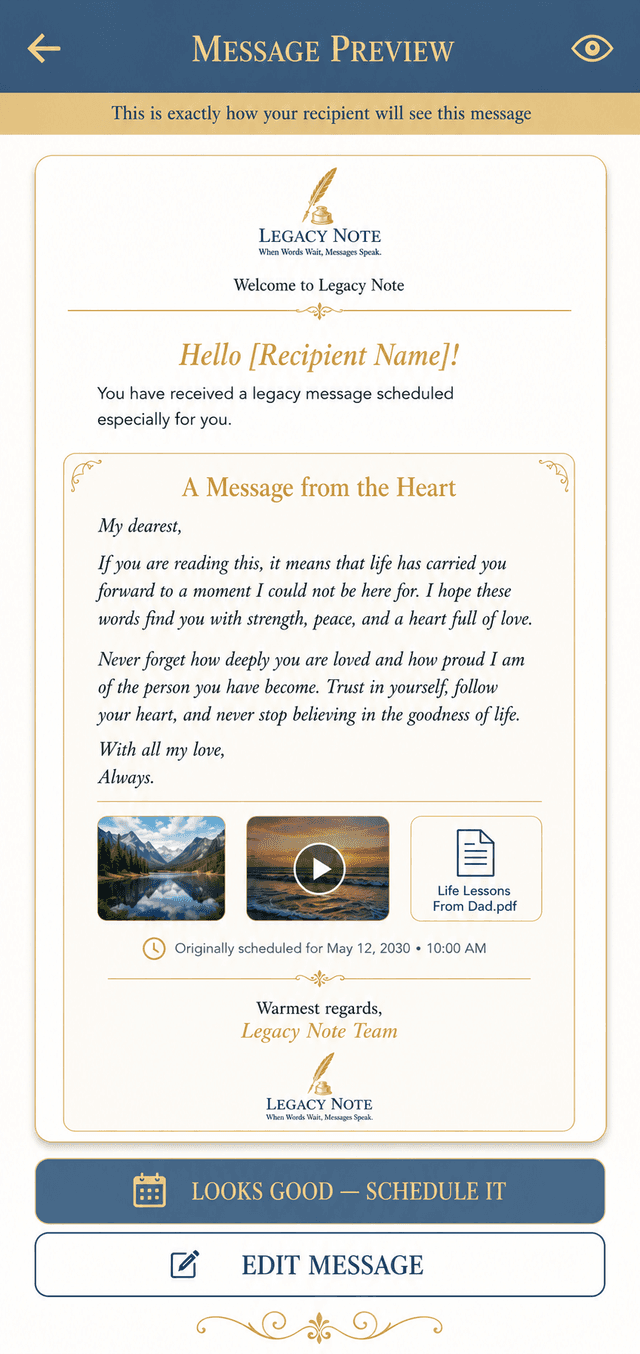
Message Preview
Recipient Experience
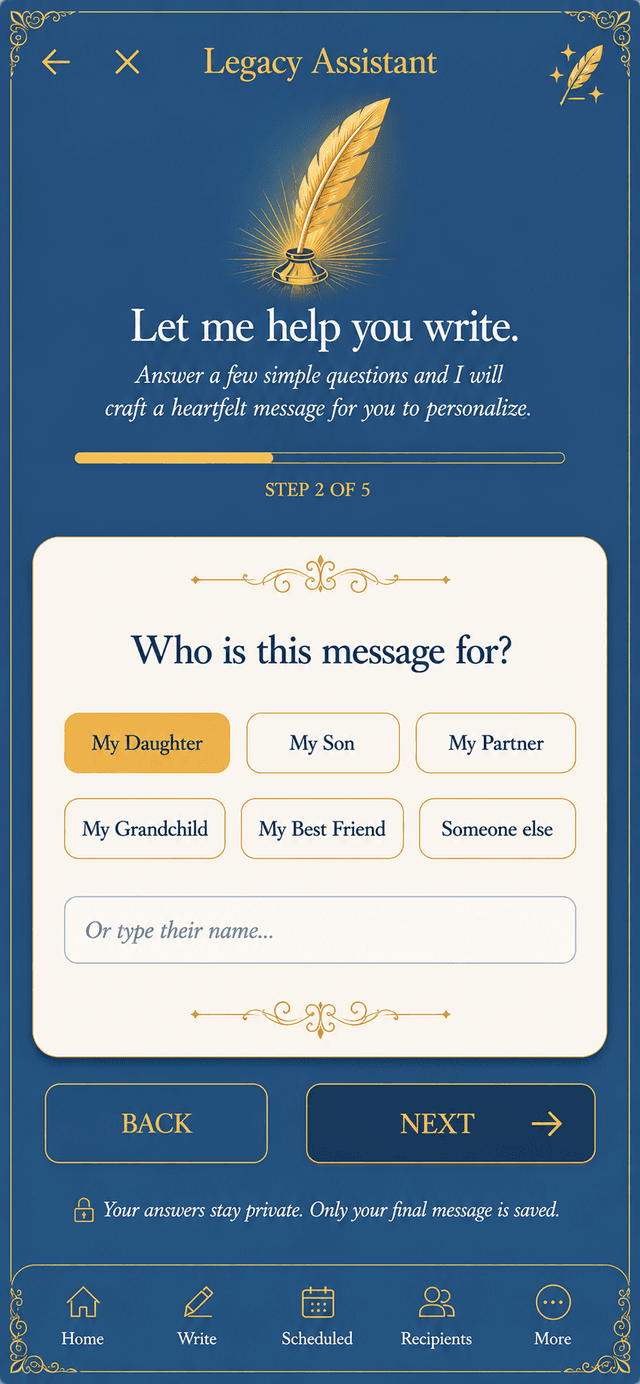
Know what to say but not how to start?
Answer a few short questions about who it is for, the occasion, the tone and anything you want included. The writing helper turns your answers into a first draft. It is only a draft, so you edit it until it sounds like you.
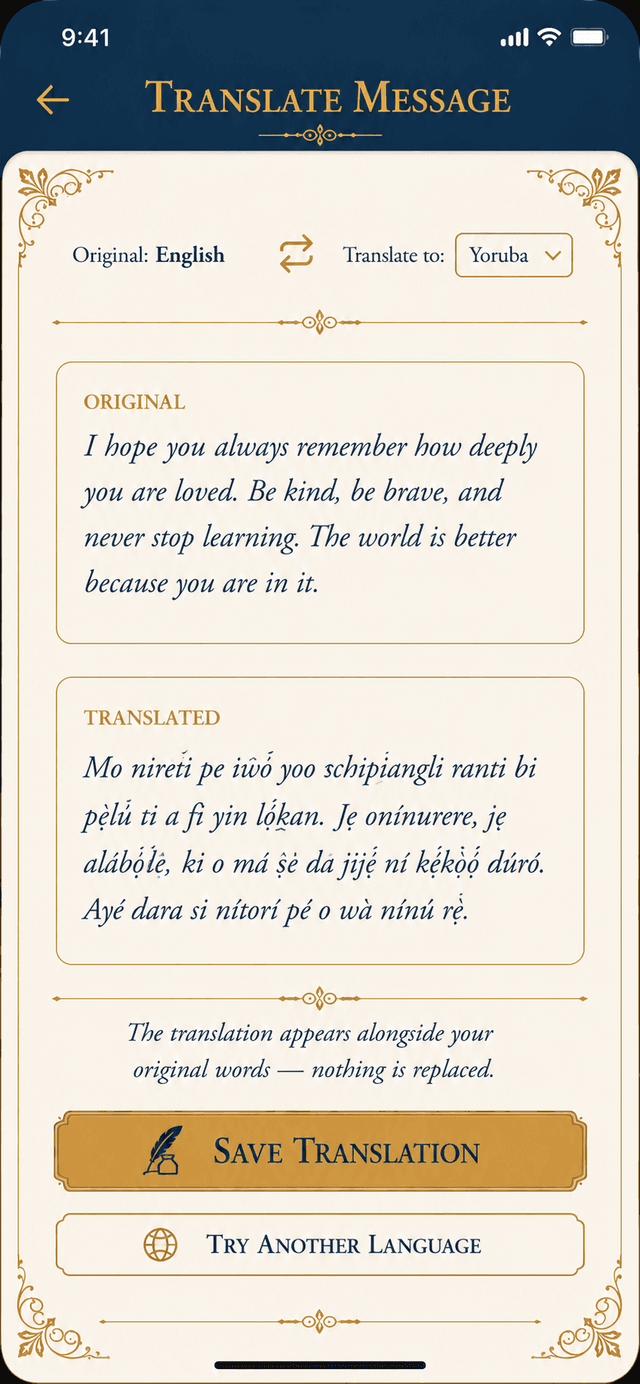
The same message, in their language
Translate a message and the new version appears next to your original words. Nothing is replaced. A family spread across countries can still share one letter. Translations are made by AI, so read them over before you send.
Let your voice read it
Record your voice once. After that, any message you write can be read aloud in it. The words stay yours and the person hears you. Recipients are always told a message was narrated by AI using your recorded voice, and you can delete your voice sample whenever you want.
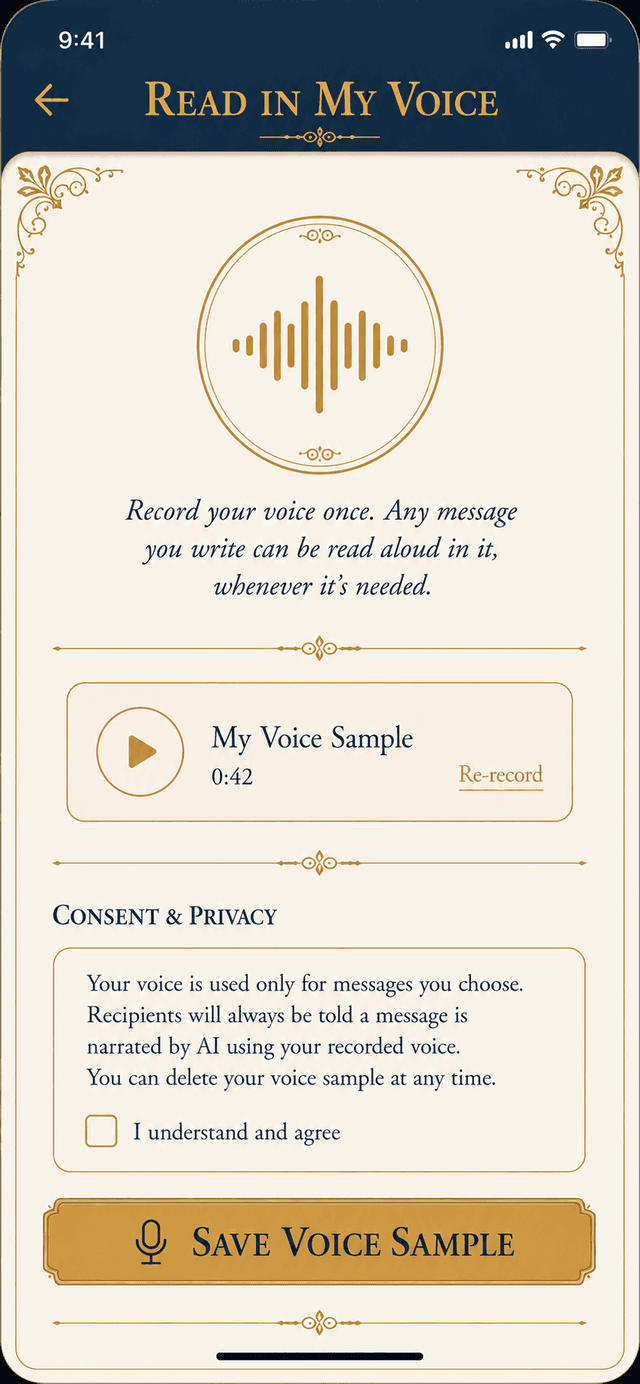
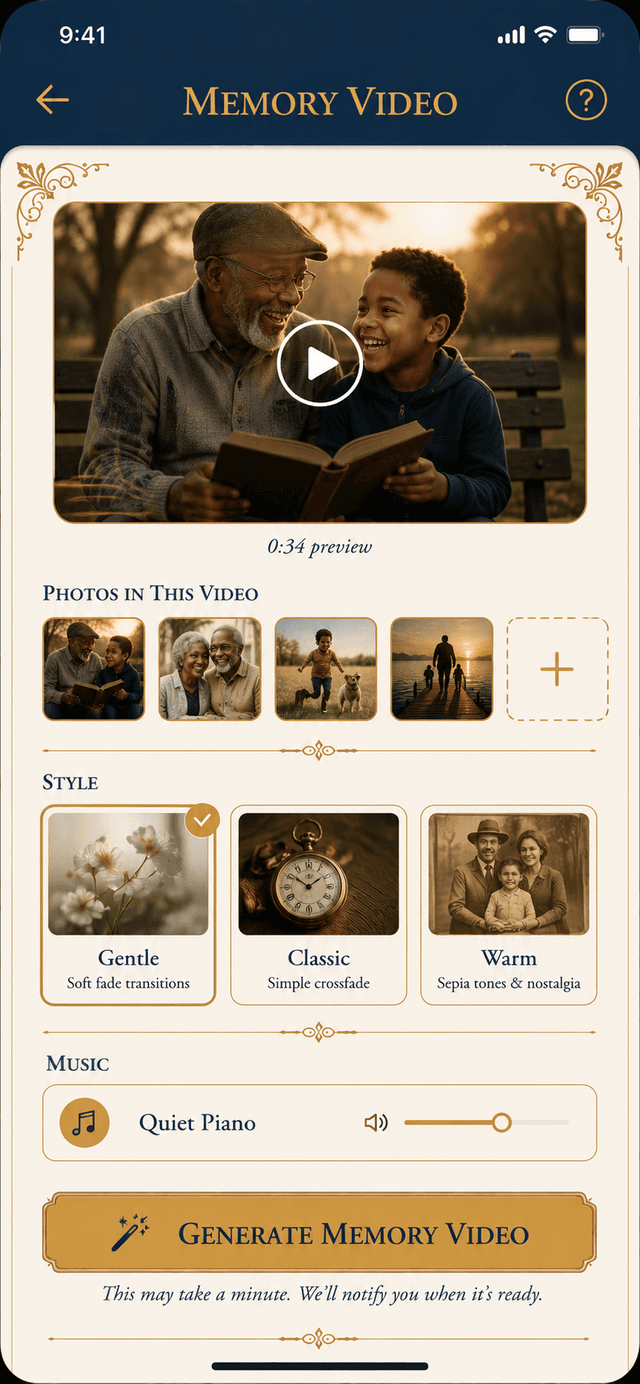
Turn a handful of photos into a short film
Pick the photos from a message, choose a style and some music, and Legacy Ping puts together a short video. Something a person can press play on, instead of digging through a folder.
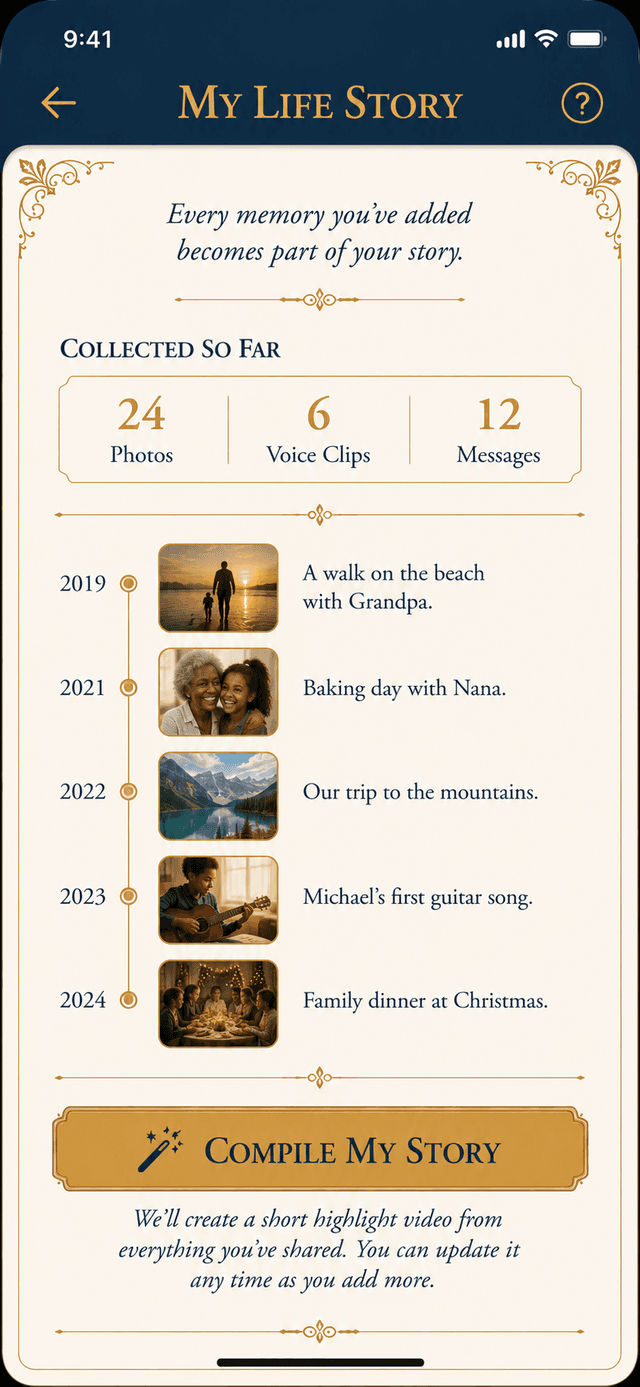
Your story, put together as you go
Post at 22. Record a voice note at 31. Share the ridiculous family video at 38. Over the years the posts you chose to share can be gathered into one highlight video of your life so far, and you can update it whenever you add more. It stays private to you.
Made for the long run
Legacy Profile
A page that tells people who you are. You choose how public it is.
Trusted Contact
Name one person you trust. They get an invitation and can accept or decline.
Categories and templates
Love letters, life advice, memories and more, with templates for the moments people find hard to write.
Delivered and read
See when a message arrived and how the person reacted.
Most apps keep what you posted. Legacy Ping asks what you want it to mean later.
Posting, tagging and reacting will feel familiar. What is new is who sees each post, when a message arrives, and what you keep for later.
Want the full picture?
Read about the platform, the features and the thinking behind Legacy Ping in our company profile.
Download company profile
Legacy Ping
Company Profile

Your future inbox is empty.
Start with one message to one person. That is enough.